SecureTheJail
Core warden task

Secure the Jail Inspection Guide

Search inmates and visitors through the current in-game flow, recognize only the broad contraband categories that are publicly named, and keep the checklist separate from a verdict.

Checked August 24, 2026Checklist only
Quick answer

Secure the Jail inspection guide checklist

Identify the inmate or visitor, complete the visible search prompts, recognize only illegal weapons or forbidden items, follow current game prompts, and never use the guide as a safe or unsafe verdict.

The walkthrough below gives five action steps plus stuck-state and common-mistake help. The live search result remains the authority.

Walkthrough

Five-step inspection checklist

  1. 01

    Identify the subject

    Confirm whether the current game interface presents an inmate or visitor.

  2. 02

    Follow the visible search flow

    Complete the prompts shown in your session. This guide does not substitute its own control sequence.

  3. 03

    Read the result carefully

    Use only what the game makes visible; do not classify a specific object from a third-party list alone.

  4. 04

    Respond through current prompts

    If contraband appears, follow the available confiscation or escalation action.

  5. 05

    Reset your checklist

    Treat the next subject as a new inspection instead of carrying over the prior result.

If you are stuck

The screen does not match the guide

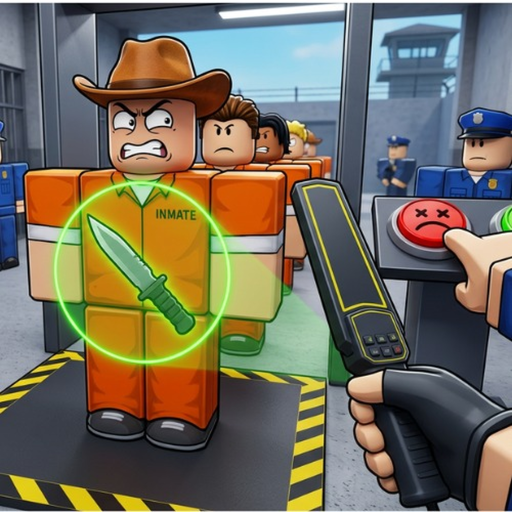
Follow the current in-game interface. Roblox experiences can change prompts without a public control guide. The published thumbnail shows inspection context, but it is not a permanent map of buttons.

Common mistake

Treating a missing item as allowed

This site has no complete item inventory. A name missing from the contraband page means it is undocumented here, not that the item is permitted.

FAQ

Inspection questions

Who can I inspect in Secure the Jail?

The public game description says players search inmates and visitors for contraband.

What contraband categories are confirmed?

Illegal weapons and forbidden items are the two broad categories named publicly.

Can this guide identify a safe inmate or visitor?

No. It is a checklist, not a scanner or a safety verdict.

What if the interface looks different?

Follow the current in-game prompts. The public image is illustrative, not a permanent control map.

More Guides

Choose the beginner or progression route for the next task.

Contraband Guide

Review the two broad categories.

Response Planner

Build a reminder for a visible incident.

Beginner Guide

Return to the full first-session loop.